Bridges, Regeneration and Modeless RevitLookup
Originally Published inI am glad and proud to announce the most exciting RevitLookup enhancement in its entire history so far, yet another need for regeneration and a great new option for your personal safety:
- Modeless RevitLookup
- Need for regen for read-only parameter
- Structural bridge design
- Outdoor seatbelt
Modeless RevitLookup
Jmcouffin ↗ raised a cool request for a RevitLookup ↗ enhancement in issue #92 – modeless window for lookup tools ↗:
… while not able to code it myself, especially not in C#, a nice feature would be to get the windows of the tool in modeless mode. Allowing us to interact with the model directly.
NeVeSpl ↗ very kindly picked this up and heroically implemented and tested it in a whole series of pull requests:
- 93 ↗ – Modeless windows
- 94 ↗ – Fixed problem with tranferring focus to Revit when using selectors from modeless window
- 95 ↗ – Handle multiple open documents at the same time
- 96 ↗ – Fix for crash that happens when user cancel picking object in cmds SnoopPickFace, SnoopPickEdge, SnoopLinkedElement
- 97 ↗ – Restore ability to snoop plan topologies
- 99 ↗ – Eliminate warnings from issue #98, warnings compiling… ↗
Here is a sample screen snapshot showing the result, snooping a level and two different walls, simultaneously running the Revit command to create yet more new walls:
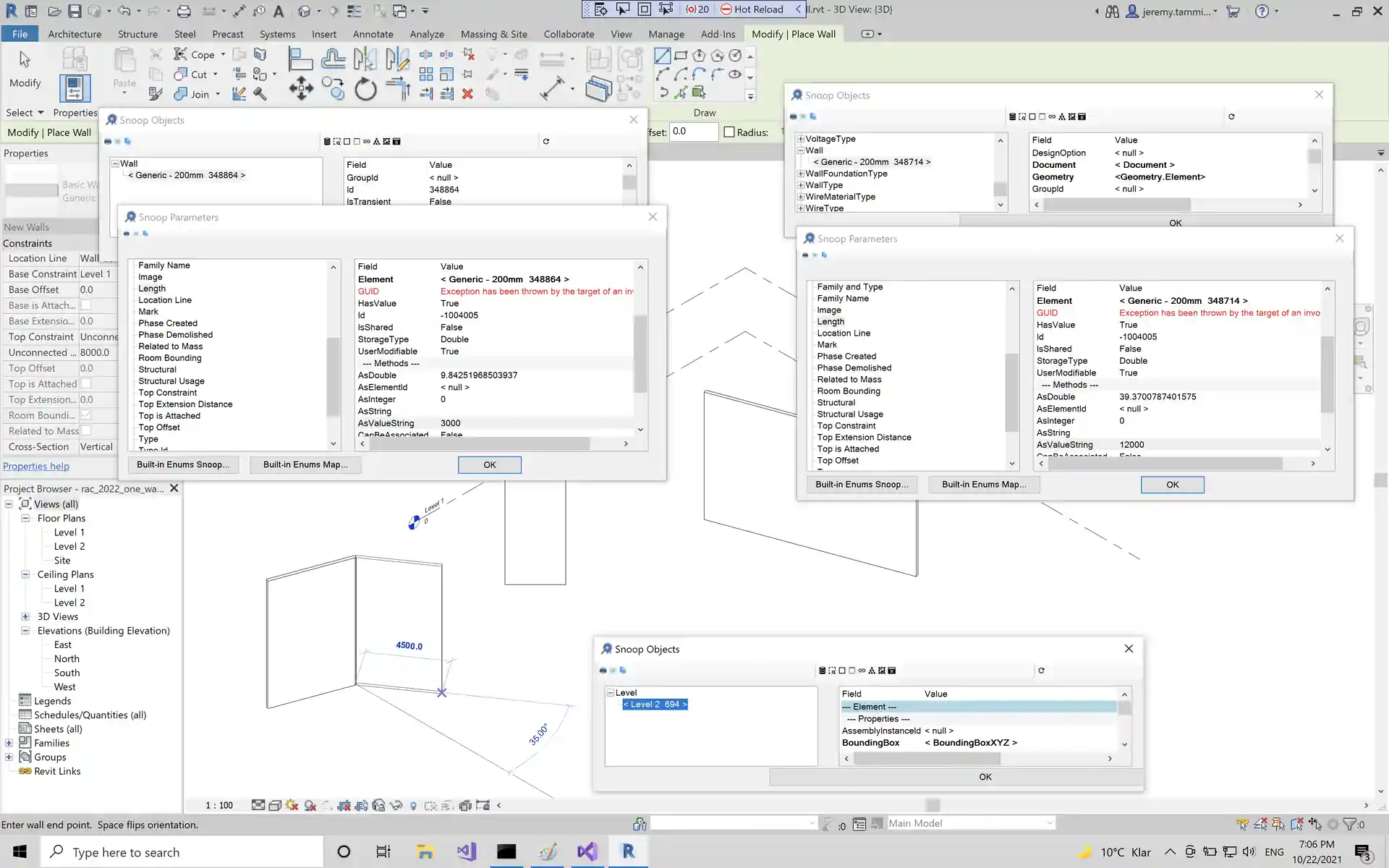
Summary by Jmcouffin:
It works much better than I even thought possible. You can now open multiple instances of RevitLookup tool and have each grab its own set of elements and data and dig through it! I tried all the functionalities without hitting a wall so far. I will keep on using it this week and let you know if anything arises. Great job @NeVeSpl!
Ever so many thanks to NeVeSpl from me too for the careful and efficient implementation and thorough testing!
Need for Regen for Read-Only Parameter
A surprising new context to add to our list of situations with a need for regeneration ↗ came up in the Revit API discussion forum ↗ thread on being unable to get parameter AsString value when the parameter is read-only ↗:
Question: I’ve been struggling with this weird problem for a few hours now.
I have some elements that has a parameter called PANEL ID. Sometimes, this parameter is in read-only mode.
When I’m accessing the element directly, I can get the parameter value perfectly fine.
When accessing the same kinds of elements as part of any collection, the value is an empty string "".
Answer: Seems like my problem was not using doc.Regenerate().
My read-only params were updated from other elements, that changed those parameter values. But I couldn’t see it in the API until I used doc.Regenerate().
Here are some other previous examples that I also already earmarked for inclusion in the ‘need to regenerate’ list ↗:
LevelOffsetnot working for arc extrusion roof ↗
Question: I’ve encountered a strange result and I’d like to know if it’s my fault or if there’s an error somewhere or a known issue. I’m trying to create a newExtrusionRoofwith an arc profile and then change theLevel Offsetparameter to a different value. I use theROOF_CONSTRAINT_OFFSET_PARAMBuiltInParameterto find that parameter and then set it. Unexpectedly, Revit sets the parameter to my value, but the roof doesn’t shift. So, there’s a discrepancy between the parameter value and the effective position of the roof.
Answer: You are creating geometry and then in the same transaction make a change to it. In the past, such a workflow caused problems that could be solved by separating the creation and modification into 2 transactions. I would suggest you do the same and see if that resolves your problem.- Circular chain of reference when creating opening on a floor ↗
Question: Unable to create opening on a created floor, posted error “circular chain of reference” Problem is floor can be create while not the opening.
Answer: Try to regenerate the model after creating the floor and before creating the opening.
Structural Bridge Design
Question: A question came up on accessing Structural Bridge Design ↗ from an external app.
Answer: There is no API, but there is a command line that you can use:
From the 2020 release on, we have command led automation for the design section and design beam creation and analysis. All data and commands are written to a json file which drives the automation. For more details, please refer to the ASBD Automation Overview ↗.
Outdoor Seatbelt
If you learned to enjoy wearing a mask when alone, you might also feel safer with an outdoor seatbelt: