Determining RVT File Version Using Python
Originally Published inBefore diving into a programming topic, albeit a non-Revit-API one, let me highlight this interesting read on The View from Inside the Factory: What’s Next for Revit 2018 ↗, well worthwhile for programmers and non-programmers alike, discussing stuff like:
The way we develop and deliver Revit software… what that means to you, and to us, the folks ‘inside the factory’… agile development and delivery… more frequent releases… Revit Roadmap ↗ and Revit Ideas Page ↗…
Returning to programming issues, we discussed several approaches to read the BasicFileInfo and RVT OLE storage, aka COM Structured Storage ↗, to retrieve stuff like the file version and preview image, and, more lately, alternative access to BIM data via Forge:
- RVT file version using Python
rvtver.py - RFA file version using Python
rvtver.py - C# Revit OLE Storage viewer
- Basic File Info and RVT file version via C# console application
- Reading an RVT File without Revit
- External Access to the Revit API
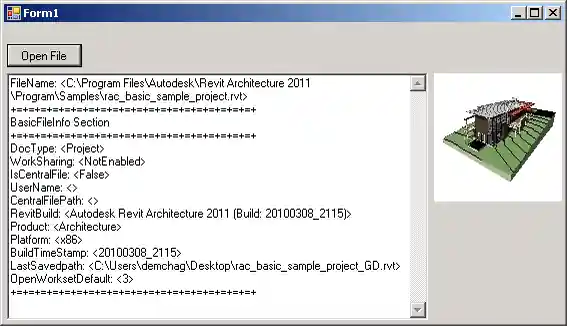
Frederic now presented another more efficient Python solution for accessing the RVT file version in his comment on the first post above:
I recently needed the same functionality, but in a large project file the
BasicFileInfowas in line 900000 of 3000000 if I remember correctly.So, I needed something that accesses the
BasicFileInfodirectly.With the external
olefilePython package ↗ from pypi.org ↗, that was very easy and readable – check out my gist ↗:
import os.path as op
import olefile
import re

def get_rvt_file_version(rvt_file):
  if op.exists(rvt_file):
    if olefile.isOleFile(rvt_file):
      rvt_ole = olefile.OleFileIO(rvt_file)
      bfi = rvt_ole.openstream("BasicFileInfo")
      file_info = bfi.read().decode("utf-16le", "ignore")
      pattern = re.compile(r"\d{4}")
      rvt_file_version = re.search(pattern, file_info)[0]
      return rvt_file_version
    else:
      print("file does not apper to be an ole file: {}".format(rvt_file))
  else:
    print("file not found: {}".format(rvt_file))
Thank you very much for sharing this, Frederic!