Meetings, Football, and RevitRubyShell
Originally Published inThe whole EMEA DevTech team is meeting in Neuchâtel prior to the coming weekend’s annual Autodesk football tournament ↗ taking place here. I won’t be able to play myself, unfortunately, for the first time in many years, since I had a prior appointment with friends to climb the Spitzhorn ↗ mountain this very weekend.
We also held a virtual meeting with Stephen Preston from the US, who is now our world-wide DevTech manager. Here we are in virtual union, from left to right, Gary Wassell, Marat Mirgaleev, Vladimir Ananyev, Stephen (virtually), Jeremy, Adam Nagy and Philippe Leefsma:

Meanwhile, I finally got around to taking a quick look at a completely new exciting topic:
RevitRubyShell
I repeatedly pointed out the power of being able to interact directly with the Revit API using Daren Thomas’ Revit Python shell ↗, originally implemented for Revit 2010, then for Vasari, and updated for Revit 2012 and Vasari 2.1 last autumn.
Here is another interactive interactive Revit programming environment by Håkon Clausen ↗ of Nosyko AS ↗.
His RevitRubyShell is based on the interpreted language Ruby programming language ↗, which is more modern than Python ↗ and inherently object oriented.
According to the introductory blurb on its home page, Ruby is a dynamic, open source programming language with a focus on simplicity and productivity. It has an elegant syntax that is natural to read and easy to write.
Kean Walmsley also had a look at it in its IronRuby incarnation for use in programming AutoCAD ↗. He presents a first overview and introduction to Ruby in his initial post on using IronRuby with AutoCAD ↗.
Here is the Ruby Shell source code ↗.
Håkon says: I hope you will find this useful. I use it a lot for rapid prototyping and testing when programming against the Revit API.
It sports the simplest installation I have ever seen for any Revit add-in whatsoever, the absolutely ultimate one-click RevitRubyShell installer ↗, which should be opened IE and will install the add-in directly, setting up an external application creating its own simple single-button panel:
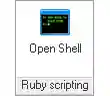
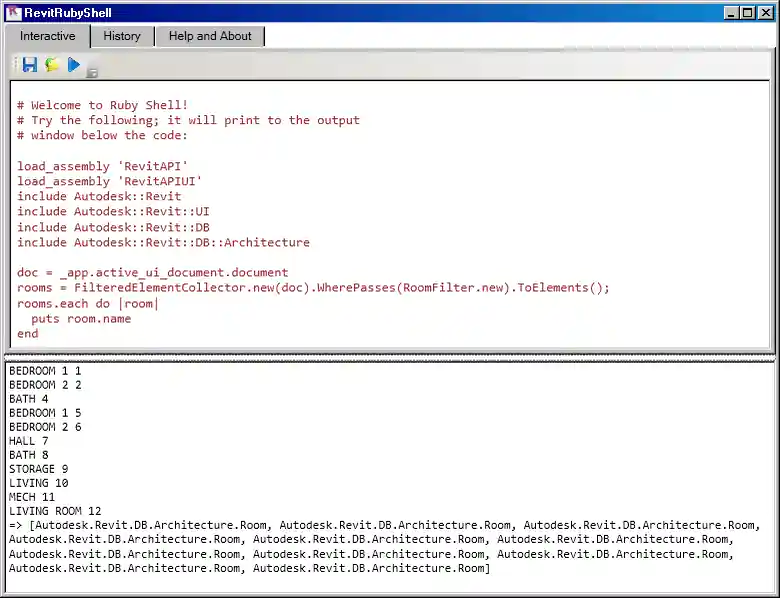
Clicking the button launches the Revit Ruby shell including a snippet of sample code that can be immediately executed by pressing the blue ‘Run’ arrow button:
Well worth looking at, and might prove a huge programming productivity booster.
Many thanks to Håkon for developing and sharing this!